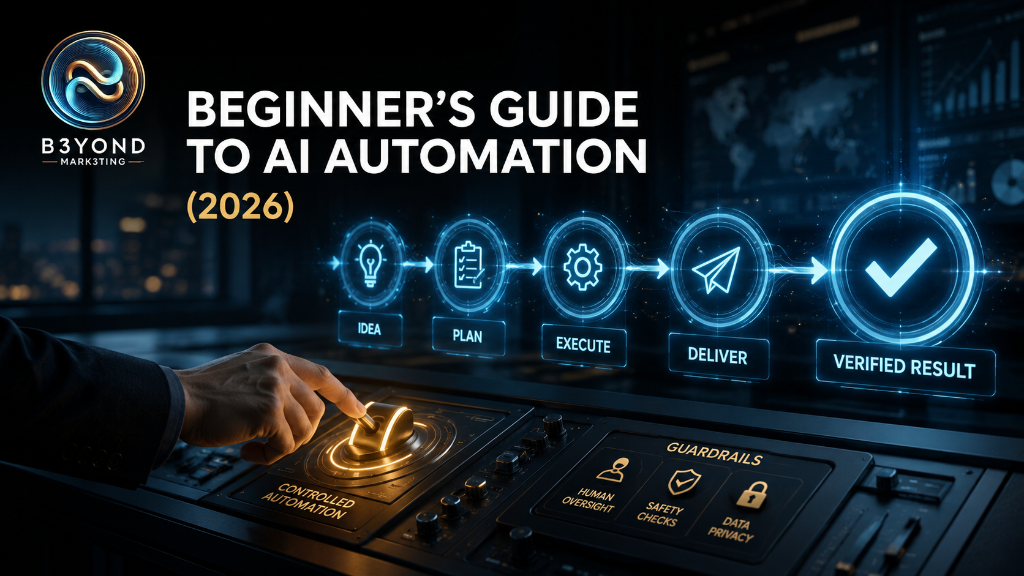
Introduction
AI automation is often presented as a shortcut to a business that runs by itself. That image is attractive, but it is not a useful place for a beginner to start. Real automation is less about removing people and more about designing a dependable path from one event to the next: information arrives, rules are applied, a useful output is prepared, and the right person or system takes the next action.
For a small business, a successful first automation might capture a website inquiry, organize the information, draft a response, notify the owner, and create a follow-up task. It might turn meeting notes into assigned action items. It might classify incoming requests so staff can respond faster. The value comes from reducing repeated work while preserving the judgment, relationships, and exceptions that make the business function.
The difficult part is rarely clicking the buttons in an automation platform. The difficult part is deciding what should happen, which information can be trusted, where approval is required, what can go wrong, and how the business will know whether the workflow is helping. This guide provides a practical method for answering those questions before complexity grows.
B3YOND principle: Most businesses do not need more AI tools. They need the right AI ecosystem. |
What AI Automation Actually Means
Traditional automation follows explicit rules: when a form is submitted, copy the fields into a customer system and notify a team member. AI automation adds a model to one or more steps that require interpretation or generation. The model might summarize an inquiry, identify its topic, extract details from a document, draft a reply, or recommend a next action. The surrounding workflow still needs rules, permissions, destinations, and accountability.
A useful way to understand the system is as five connected parts. The trigger starts the process. The inputs provide information. The AI step interprets or produces something. The action sends, stores, updates, or assigns the result. The review layer checks whether the outcome is safe and correct. A workflow is only as reliable as the weakest of these parts.
- Trigger: the event that starts the workflow, such as a new form, email, appointment, file, or scheduled time.
- Input: the approved data, instructions, policies, and context the workflow is allowed to use.
- AI task: a narrow job such as classify, summarize, extract, draft, compare, or route.
- Action: the next system change, notification, record, message, or task.
- Control: validation, approval, exception handling, logging, and a way to stop or correct the process.
Not every automation needs AI. If a task can be completed accurately with a fixed rule, a conventional rule is often cheaper, faster, and easier to audit. Use AI where language or unstructured information requires interpretation. Use deterministic rules where the correct outcome is already known.
Automation, Assistance, and Autonomy
These terms are frequently mixed together, but they describe different levels of responsibility. AI assistance helps a person perform a task; the person remains in the loop. Automation moves information or completes predefined steps without repeated manual effort. Autonomy gives a system more freedom to choose and execute actions toward a goal. Beginners should usually move through these levels in order.
Start with assistance: have AI prepare the draft, classification, or recommendation. Once quality is consistent, automate the movement of information while keeping approval before the consequential action. Greater autonomy should be considered only when the business understands the failure modes, can limit permissions, and can monitor performance. The goal is not maximum autonomy. The goal is the right amount of automation for the risk and value of the task.
The Best First Processes to Automate
A strong first candidate is repeated, rules-based enough to describe, time-consuming enough to matter, and low-risk enough to test. It should have recognizable inputs and a clear definition of done. The task does not need to be perfect today, but the business should understand how a competent person performs it.
Lead and inquiry organization
A website or social inquiry can be captured in one place, labeled by service or urgency, summarized, and assigned for follow-up. AI can help interpret free-text answers, but it should not make promises, decide eligibility, or send sensitive responses without clear rules. A practical first version prepares the record and alerts the responsible person.
Meeting notes and action items
Approved meeting notes or transcripts can be summarized into decisions, owners, due dates, and unanswered questions. The participants review the result before tasks are created. This workflow saves administrative time while keeping accountability with the people who attended the meeting.
Content repurposing
One approved article, offer, interview, or business update can become draft social posts, an email outline, frequently asked questions, and a short video script. The automation should preserve the source, audience, brand voice, and approval stage. Publishing everything automatically is rarely a good beginner workflow because a fluent draft can still be inaccurate or poorly timed.
Document intake and extraction
AI can identify selected fields, summarize a document, or route a file to the right queue. This is useful when information arrives in inconsistent formats. Test diverse examples and require review for missing, ambiguous, or high-stakes fields. Sensitive documents must remain within approved systems and policies.
Internal knowledge support
Staff can ask questions against an approved collection of policies, service information, training material, or procedures. The system should identify its sources and admit when the answer is not supported. A knowledge assistant can improve access to information, but it cannot repair outdated or contradictory source documents.
What Not to Automate First
Avoid starting with work where one mistake can create serious financial, legal, clinical, employment, safety, privacy, or reputational consequences. Also avoid processes that change constantly, depend on undocumented judgment, or have no clear owner. Automation amplifies the process it receives. If the workflow is confused, the automated version will move confusion faster.
- Final legal, medical, financial, or eligibility decisions without qualified review
- Payments, refunds, contracts, account deletion, or irreversible record changes
- Employee discipline, hiring decisions, or performance judgments
- Unreviewed public statements or customer responses in sensitive situations
- Workflows that require unrestricted access to passwords, regulated data, or entire databases
- Processes whose success criteria and exceptions cannot yet be explained
A Beginner-Friendly Automation Stack
An automation stack does not need to be large. It needs clear roles. A typical small-business system includes a source where work begins, an automation layer that coordinates steps, an AI assistant or model for interpretation, a destination where the result belongs, and a human channel for review or alerts.
General AI assistants
ChatGPT and Claude can help design workflows, write prompts, transform information, analyze text, and produce drafts. They are useful for prototyping the AI step before it is connected to other systems. NotebookLM can support source-grounded exploration when the work should stay tied to a selected document collection.
Workflow automation platforms
Zapier and Make provide visual ways to connect many common business applications. n8n offers flexible workflow building and can suit teams that want more technical control. The best choice depends on the applications involved, the required actions, data policies, team skill, support needs, and total cost at the expected volume. Do not select the platform before confirming that it supports the exact trigger and action your workflow needs.
Custom application platforms
A platform such as Base44 can be useful when the business needs a custom interface, internal tool, directory, portal, or operational application rather than a chain between existing apps. A custom app should still be built around a defined workflow and information model. Attractive screens do not compensate for unclear permissions, ownership, or data rules.
Business systems and destinations
Email, calendars, forms, customer relationship management systems, spreadsheets, project tools, databases, and messaging channels often serve as the trigger or destination. Reuse the business’s established system of record whenever practical. Creating duplicate data stores can make accuracy, access, and reporting worse rather than better.
How to Design Your First AI Automation
Step 1: Define the outcome
Write one sentence describing the business result. For example: “Every qualified website inquiry should reach the correct team member with a complete summary and a follow-up task within five minutes.” This is stronger than “automate leads” because it names the event, result, owner, and timing.
Step 2: Map the manual workflow
Document what happens today from beginning to end. Identify the trigger, each decision, every system touched, the person responsible, common delays, and exceptions. Watch the real process instead of describing the ideal one. If different employees perform it differently, agree on the standard before building.
Step 3: Separate rules from judgment
Mark steps that can follow a fixed rule and steps that require interpretation. A form submission can always create a record. Determining the topic of an open-ended message may benefit from AI. Deciding whether a complaint needs executive attention may require both defined criteria and human review. This separation prevents AI from being used where simple logic is more dependable.
Step 4: Define data and permissions
List the minimum fields each step needs. Decide which system is authoritative, who can see the information, how long it is retained, and whether the tools are approved for that type of data. Give each connection only the permissions necessary for its role. Avoid using an owner-level account for a workflow that only needs to add a task.
Step 5: Write the AI instruction
Give the model a narrow job, trusted context, allowed categories, output format, and rules for uncertainty. Ask it to return structured fields when another system will use the result. Include an “unknown” or “needs review” outcome so the model is not forced to invent certainty.
Example: “Classify this inquiry as New Service, Existing Customer, Billing, Partnership, or Needs Review. Use only the message provided. Return the category, a two-sentence factual summary, and any missing information. Do not infer urgency, eligibility, or price.”
Step 6: Place the human checkpoint
Decide which action requires approval. An internal draft may be created automatically, while sending it remains manual. A record may be prepared automatically, while changing its status requires confirmation. Human review is most valuable immediately before an external, expensive, sensitive, or difficult-to-reverse action.
Step 7: Build the smallest working version
Connect only the steps required to prove the outcome. Do not add dashboards, multiple branches, and secondary notifications before the core path works. A small workflow is easier to understand, test, and repair. Complexity should be earned by a real need.
Step 8: Test normal cases and exceptions
Use realistic examples, including missing fields, duplicate submissions, vague language, unexpected formats, tool outages, and values at the edge of a rule. Confirm that failed steps are visible and that the workflow does not silently continue with bad information. Test with non-sensitive or synthetic data before approved live data.
Step 9: Launch with monitoring
Begin with a limited audience or volume. Log what entered the workflow, what the AI produced, what action occurred, who approved it, and whether correction was needed. Give one person ownership of alerts, prompt changes, source updates, and periodic review.
Testing: The Part Beginners Most Often Skip
A demonstration proves that a workflow can succeed once. Testing asks whether it behaves correctly across the range of situations the business will actually encounter. For AI steps, test not only factual accuracy but also whether the output follows the requested format, stays within allowed categories, handles uncertainty, and avoids unsupported claims.
- Happy path: a complete, ordinary case produces the expected result.
- Missing information: the workflow requests review instead of filling the gap.
- Duplicate event: the system does not create duplicate records or messages.
- Ambiguous input: the model marks uncertainty and preserves the original text.
- Tool failure: the business receives an alert and knows how to continue manually.
- Permission failure: the workflow stops safely without exposing or corrupting information.
- Human correction: the owner can revise the output and use the correction to improve the process.
Privacy, Security, and Governance
Automation connects systems, so it can expand the effect of both good and bad permissions. Review the privacy, retention, administrative, and data-use terms of every product involved. Consumer and business plans may provide different controls. The fact that two tools can connect does not mean the business is authorized to send all information between them.
- Use the minimum necessary data and remove identifying details where possible.
- Use named accounts, strong authentication, and role-based access.
- Keep credentials in approved connection tools rather than prompts or documents.
- Maintain an inventory of workflows, owners, data types, connections, and approval points.
- Review logs and costs, and remove automations that no longer have a purpose.
- Create a manual fallback and an immediate way to pause the workflow.
Governance does not need to be bureaucratic. For a small business, a one-page record can be enough: purpose, owner, trigger, systems, data, AI task, human approval, risks, test date, success measure, and shutdown method. What matters is that the workflow is understood and accountable.
How to Measure Whether Automation Works
Measure the complete process, not merely the speed of the automated step. A workflow that generates a draft in seconds but requires fifteen minutes of correction may not be an improvement. Establish a baseline before launch, then compare performance over a meaningful sample.
- Cycle time: how long the process takes from trigger to completed outcome
- Hands-on time: how much employee attention the workflow requires
- Accuracy: the percentage of outputs accepted without material correction
- Exception rate: how often the workflow needs manual rescue
- Response or completion rate: whether the intended business action happens more reliably
- Cost per completed workflow: subscriptions, usage, maintenance, and review time
- Customer or staff impact: whether the experience is clearer, faster, and more consistent
Common AI Automation Mistakes
Automating a broken process
If staff disagree about the correct steps, automation will encode one version of the disagreement. Standardize the process and source information first.
Giving the AI a vague mission
“Handle customer inquiries” contains too many decisions. Give the model one narrow task with allowed outputs, boundaries, and a path for uncertainty.
Removing review too early
A few successful tests do not reveal every edge case. Keep approval until the workflow has demonstrated reliable performance on real variation and the consequences of an error are acceptable.
Connecting too many systems
Every connection adds permissions, maintenance, cost, and failure points. Build the shortest route between the source, the useful AI step, the responsible person, and the system of record.
Ignoring ownership
An automation without an owner becomes invisible infrastructure. Assign responsibility for alerts, source updates, prompt changes, permissions, costs, and retirement.
Treating generated activity as business value
More emails, posts, tasks, or summaries do not automatically improve the business. Measure whether the automation helps complete an outcome that matters.
A Practical 14-Day Starter Plan
- Days 1–2: Choose one low-risk repeated process and define the desired outcome.
- Days 3–4: Observe the current workflow and document steps, owners, systems, time, and exceptions.
- Days 5–6: Separate fixed rules from interpretation and define the minimum necessary data.
- Days 7–8: Prototype the AI task manually with approved test examples.
- Days 9–10: Build the smallest connected workflow with a human approval point.
- Days 11–12: Test ordinary cases, missing information, duplicates, failures, and ambiguous inputs.
- Day 13: Launch at limited volume with monitoring and a manual fallback.
- Day 14: Review time, accuracy, corrections, exceptions, cost, and user experience; then keep, revise, or stop it.
B3YOND Insight
The best automation is not the one with the most steps. It is the one whose purpose, information, responsibility, and limits are obvious. A reliable system makes the business easier to understand. It shows where information enters, who owns the outcome, what rules apply, and when judgment matters.
This is why an AI ecosystem begins with workflow design rather than tool shopping. The general assistant, automation platform, business application, information source, and human reviewer should each have a distinct role. When roles overlap or remain undefined, the business pays for complexity without gaining intelligence.
B3YOND Verdict
Start with one process that is repeated, measurable, and safe to test. Map it before building. Use fixed rules whenever fixed rules are enough, and give AI only the interpretation task it genuinely improves. Keep a human checkpoint before consequential actions, test exceptions, monitor the result, and expand only after the first workflow proves its value.
AI automation should not make the business less visible to its owner. It should make the flow of work clearer, faster, and more dependable. The objective is not a business that runs without people. It is a business in which people spend less time moving information and more time applying judgment, building relationships, and creating value.
Related Tools
- ChatGPT — workflow design, drafting, analysis, and AI-assisted tasks
- Claude — writing, reasoning, document work, and workflow prototyping
- NotebookLM — source-grounded exploration of approved materials
- Zapier — visual automation across common business applications
- Make — visual, multi-step workflow orchestration
- n8n — flexible workflow automation with greater technical control
- Base44 — custom operational applications and business interfaces
Related Stack
B3YOND Beginner Automation Stack: Defined Outcome → Trusted Trigger and Data → Fixed Rules Where Possible → Narrow AI Task → Human Approval → System of Record → Monitoring and Measurement.
Take the Next Practical Step
Every business has different processes, systems, information boundaries, and risk levels. B3YOND MARK3TING helps businesses identify worthwhile automation opportunities, choose the right tools, design responsible workflows, and connect them into a coherent AI ecosystem.
Visit b3yondmark3ting.com to explore the AI Directory, compare automation tools, learn through the AI Course, or book a consultation.