Introduction
An AI tool can produce an impressive answer in seconds and still create little business value. The value appears when that answer belongs to a dependable workflow: the right information enters, a narrow task is completed, a person reviews what matters, the result reaches the correct system, and the next action actually happens.
That distinction separates experimentation from operations. Asking an assistant to draft one follow-up email is an AI task. Building a process that captures an inquiry, summarizes it, prepares a personalized response, assigns an owner, records the outcome, and reminds the team if no one responds is an AI workflow. The second has a trigger, a path, responsibility, controls, and a measurable result.
The examples in this guide are designed for small businesses, entrepreneurs, and lean teams. They are not recipes to copy without thought. Each business has different systems, permissions, customer expectations, and risks. Use the examples as patterns: identify the outcome, define the information flow, give AI a limited role, keep judgment where it belongs, and measure whether the completed process improves.
B3YOND principle: Most businesses do not need more AI tools. They need the right AI ecosystem. |
The Anatomy of a Useful AI Workflow
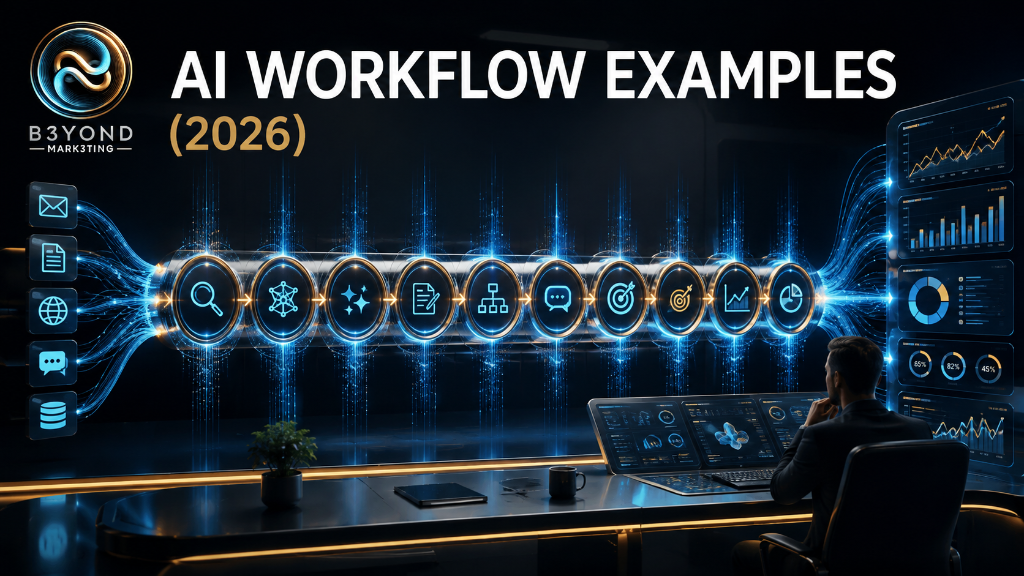
A practical workflow has six parts. First, a trigger begins the process. Second, approved inputs provide the necessary context. Third, rules handle facts that do not require interpretation. Fourth, AI performs a narrow language or reasoning task. Fifth, a human or system takes the next action. Sixth, the result is recorded so the business can monitor quality and improve.
- Trigger — a form submission, email, meeting, uploaded document, scheduled time, status change, or new review.
- Context — the original message, approved source material, customer record, brand guidance, policy, or structured fields.
- Rules — deterministic decisions such as required fields, routing thresholds, duplicate checks, and deadlines.
- AI task — classification, extraction, summarization, comparison, drafting, or recommendation within defined limits.
- Human checkpoint — approval before a sensitive message, decision, publication, payment, or irreversible change.
- Record and measurement — a reliable destination, owner, timestamp, outcome, correction history, and performance measure.
The tools can vary. ChatGPT or Claude may support analysis and drafting. NotebookLM may help with work grounded in an approved document collection. Zapier, Make, or n8n may coordinate applications. Base44 may provide a custom portal or operational interface. A CRM, project platform, spreadsheet, database, email service, or calendar may remain the system of record. The workflow matters more than the brand names.
Workflow 1: Website Inquiry to Qualified Follow-Up
The outcome
Every legitimate inquiry reaches the correct person quickly, with enough context to respond well and without forcing staff to reread scattered form answers.
The workflow
- Trigger: a visitor submits a website consultation or service form.
- Rules: verify required fields, screen obvious spam, check for duplicates, and preserve the original submission.
- AI task: classify the inquiry by service, create a factual summary, identify missing information, and prepare a draft acknowledgment.
- Human action: review the record, confirm priority and eligibility, personalize the response, and approve sending.
- Destination: create or update the contact in the CRM and assign a follow-up task with a due time.
- Measurement: response time, qualified-conversation rate, duplicate rate, and percentage of drafts requiring material correction.
The model should not promise availability, quote an unapproved price, determine legal or clinical eligibility, or invent urgency. A useful instruction provides allowed categories and includes “Needs Review” when the message is ambiguous. If no owner accepts the task within the expected period, the workflow should alert someone rather than sending increasingly aggressive messages automatically.
Workflow 2: One Approved Source to a Content Campaign
The outcome
A business turns one authoritative idea—an article, interview, announcement, service update, or event—into coordinated draft assets without losing its voice or publishing unsupported claims.
The workflow
- Trigger: the owner marks a source asset as approved for repurposing.
- Context: the source, target audience, offer, brand voice, channel rules, prohibited claims, and campaign date.
- AI task: extract the central message and draft channel-specific versions such as an email, social captions, a short video script, and frequently asked questions.
- Human action: verify every claim against the source, adjust tone, choose the strongest assets, and approve the schedule.
- Destination: place approved drafts in the content calendar or publishing queue, linked to the original source.
- Measurement: production time, approval rate, corrections, engagement, inquiries, and conversions tied to the campaign objective.
Repurposing should not mean copying the same paragraph everywhere. Each channel serves a different reading situation. The email may explain; the short video may introduce one idea; the social post may invite reflection; the landing page may provide the complete next step. AI can create variations, but the business must decide what deserves to be said and when.
Workflow 3: Meeting to Decisions and Accountable Tasks
The outcome
A meeting produces a clear record of what was decided, who owns each action, when it is due, and which questions remain unresolved.
The workflow
- Trigger: approved notes or a transcript become available after the meeting.
- Rules: confirm consent and retention policy, attach the meeting date and participants, and exclude off-record material.
- AI task: separate discussion from decisions, extract action items, identify proposed owners and dates, and list unresolved questions.
- Human action: the meeting owner corrects the summary and confirms every assignment before tasks are created.
- Destination: save the final recap in the project workspace and create confirmed tasks in the team’s existing system.
- Measurement: review time, action-item accuracy, overdue tasks, and reduction in follow-up clarification.
A transcript is not automatically the authoritative record. People revise ideas while speaking, names may be misheard, and a suggestion can look like a decision when removed from context. The workflow should cite or preserve the relevant source passage and require confirmation before assigning responsibility.
Workflow 4: Customer Support Triage and Draft Response
The outcome
Routine questions are organized and answered faster while complaints, sensitive cases, and uncertain requests reach a person with full context.
The workflow
- Trigger: a support email, form, or approved message enters the shared queue.
- Rules: identify the customer record, check whether the request is a duplicate, and flag defined safety, privacy, billing, cancellation, or legal terms.
- AI task: classify the topic, summarize the request, retrieve relevant approved guidance, and draft a response that stays within policy.
- Human action: approve external messages and handle every escalation, exception, refund, commitment, or emotionally sensitive situation.
- Destination: send the approved response and record the category, resolution, owner, and follow-up date.
- Measurement: first-response time, resolution time, escalation accuracy, reopen rate, and customer satisfaction.
The knowledge source is the control point. If policies are outdated, contradictory, or incomplete, a polished answer can still be wrong. The system should indicate which source supported the draft and use a clear fallback when the answer is not present. Uncertainty should produce review, not invention.
Workflow 5: Document Intake and Structured Review
The outcome
Incoming documents become organized records with selected fields, summaries, and missing-item alerts, while the original file remains available for verification.
The workflow
- Trigger: an approved document is uploaded to a designated intake location.
- Rules: validate file type, check duplicates, assign an intake identifier, and apply access and retention requirements.
- AI task: extract defined fields, summarize relevant sections, identify missing or conflicting information, and mark low-confidence values.
- Human action: compare the output with the source and approve any field that affects money, care, compliance, eligibility, or a customer obligation.
- Destination: save verified fields to the operational record and link them to the unchanged original.
- Measurement: extraction accuracy by field, review time, exception rate, and number of downstream corrections.
Do not ask the system to “understand the document” without defining what information matters. A better instruction names the fields, expected formats, accepted values, and what to do when information is absent. Test poor scans, unusual layouts, handwritten additions, repeated pages, and documents whose numbers conflict.
Workflow 6: Weekly Operations Report
The outcome
The owner receives a concise, evidence-based view of what happened, what changed, what needs attention, and which information is incomplete.
The workflow
- Trigger: a scheduled weekly reporting time.
- Rules: pull only approved fields from authoritative systems, define the reporting period, and reconcile duplicate or late records.
- AI task: summarize trends, compare results with the previous period or target, explain notable changes, and draft questions for missing data.
- Human action: verify unusual numbers, add operational context, decide priorities, and approve distribution.
- Destination: archive the final report in a consistent location and assign follow-up actions separately.
- Measurement: preparation time, data correction rate, action completion, and whether recurring decisions become faster or better informed.
AI should not calculate from vague screenshots when structured data is available, and narrative should never replace the underlying numbers. The report should distinguish facts from interpretations and interpretations from recommendations. When a data source was unavailable, the document should say so instead of silently presenting a complete-looking picture.
Workflow 7: Internal Knowledge Assistant
The outcome
Staff can find supported answers from approved policies, procedures, service information, and training material without searching across many folders.
The workflow
- Trigger: a staff member asks a work-related question in an approved interface.
- Rules: authenticate the user, limit access by role, and search only the collections that person is allowed to use.
- AI task: answer from the approved material, identify the supporting source, and state when the information is absent or contradictory.
- Human action: subject-matter owners resolve contradictions, approve policy changes, and answer unsupported high-stakes questions.
- Destination: provide the answer with source references and log unanswered themes for knowledge-base improvement.
- Measurement: answer acceptance, unsupported-answer rate, search time saved, repeated unanswered questions, and source freshness.
The knowledge base requires ownership. Someone must review expiration dates, replace obsolete files, and decide which version is authoritative. The assistant should not become a convenient layer over neglected information. Its unanswered questions are valuable because they reveal where the business itself lacks clarity.
Workflow 8: Review and Reputation Response
The outcome
Public reviews are acknowledged consistently and quickly while sensitive complaints receive careful, private handling.
The workflow
- Trigger: a new review appears on a monitored public profile.
- Rules: capture the review and rating, detect duplicates, and route privacy, safety, legal, discriminatory, or serious service complaints for immediate human attention.
- AI task: classify sentiment and topic, summarize the concern, and draft a brief response using the business’s approved tone and privacy rules.
- Human action: confirm the facts, remove sensitive details, personalize the message, and approve every public response.
- Destination: publish the approved response and create a private follow-up task when appropriate.
- Measurement: response time, approval rate, recurring complaint themes, and service improvements—not merely rating changes.
A public response is not the place to debate the customer or expose records. AI should never be allowed to infer the reviewer’s identity, disclose a relationship, or promise compensation. The most valuable output may be the internal pattern report showing which operational problems repeatedly create negative experiences.
Workflow 9: Client Onboarding and Project Launch
The outcome
A signed client moves into a clear project with complete information, assigned responsibilities, scheduled milestones, and a shared understanding of what happens next.
The workflow
- Trigger: the agreement and required initial payment are confirmed in the proper systems.
- Rules: verify the client, selected service, scope, payment status, required forms, project owner, and approved start condition.
- AI task: summarize the agreed scope, convert intake answers into a kickoff brief, draft a welcome message, and identify missing assets or decisions.
- Human action: verify contractual details, correct assumptions, approve communications, and resolve missing information with the client.
- Destination: create the project from a standard template, schedule milestones, assign tasks, and store the approved brief.
- Measurement: time from sale to kickoff, missing-information rate, rework, missed milestones, and client clarity during the first two weeks.
The workflow should use the signed agreement as the authority for scope, not a sales summary or model inference. AI can translate information into a readable brief, but it cannot add deliverables, deadlines, or guarantees. When the intake conflicts with the agreement, the workflow should stop and request clarification.
How to Choose the Right Workflow to Build First
Score candidates by frequency, time consumed, clarity, risk, information quality, and measurability. The best first project is usually common enough to matter, stable enough to describe, safe enough to test, and visible enough that the team can tell whether it improved. A glamorous autonomous agent is a poor starting point if no one understands its decisions or owns its exceptions.
- Choose a process with a clear beginning and end.
- Prefer one owner and one system of record.
- Use information the business is authorized to process.
- Keep the first AI task narrow: classify, extract, summarize, compare, or draft.
- Place approval immediately before the consequential action.
- Define a manual fallback and a way to pause the workflow.
- Record a baseline before launch so improvement can be measured.
Common Mistakes Across AI Workflows
Starting with tools instead of outcomes
A workflow built to justify a new subscription usually collects unnecessary features. Begin with the business result and select the smallest set of systems that can produce it.
Automating an undocumented process
If competent employees perform the work differently, map and agree on the process before encoding it. Automation moves ambiguity faster; it does not resolve ownership by itself.
Giving AI the entire job
“Manage our leads” or “handle support” contains many different decisions. Separate fixed rules, narrow AI tasks, and human judgment so each role can be tested and improved.
Allowing silent uncertainty
Every workflow needs an explicit path for missing, ambiguous, or contradictory information. A “Needs Review” outcome is more useful than a confident invention that contaminates the next system.
Measuring activity instead of outcomes
Drafts created, emails sent, and tasks generated are activity. Measure completed responses, accurate records, resolved cases, saved hands-on time, fewer errors, or better customer experiences.
Forgetting maintenance
Tools change, permissions expire, policies are revised, prompts drift, and business processes evolve. Assign an owner, review logs and costs, retest examples, and retire workflows that no longer serve a purpose.
B3YOND Insight
A workflow reveals the real architecture of a business. It shows where information enters, which source is trusted, who makes decisions, which actions carry risk, and what the organization considers a successful outcome. AI adds value when it strengthens that architecture—not when it hides it behind fluent output.
The recurring pattern across all nine examples is deliberate separation of roles. Rules handle what is known. AI handles bounded interpretation. People apply accountability and judgment. Operational systems preserve the record. Measurement shows whether the complete process works. That separation is the foundation of an AI ecosystem a business can understand and improve.
B3YOND Verdict
Do not begin by trying to automate the whole business. Choose one repeated outcome, map the current process, preserve the authoritative source, and give AI one specific job. Keep human approval before external, sensitive, expensive, or irreversible actions. Launch at limited volume, measure the completed result, and expand only when the workflow proves dependable.
The objective is not to create more automated activity. It is to make useful work move with greater clarity, speed, consistency, and accountability. The right workflow helps people spend less time transferring information and more time making decisions, serving customers, and building the business.
Related Tools
- ChatGPT — analysis, drafting, research support, and repeatable business tasks
- Claude — writing, document analysis, reasoning, and workflow support
- NotebookLM — source-grounded work with approved document collections
- Zapier — orchestration across common business applications
- Make — visual multi-step workflows and AI-assisted orchestration
- n8n — flexible automation for teams seeking greater technical control
- Base44 — custom portals, directories, interfaces, and operational applications
Related Stack
B3YOND Practical Workflow Stack: Defined Outcome → Approved Trigger and Context → Deterministic Rules → Narrow AI Task → Human Checkpoint → System of Record → Monitoring and Improvement.
Take the Next Practical Step
B3YOND MARK3TING helps businesses map high-value workflows, select the right tools, establish responsible controls, and connect the pieces into a practical AI ecosystem.
Visit b3yondmark3ting.com to explore the AI Directory, review recommended stacks, learn through the AI Course, or book a consultation.